 EN
EN
 RU
RU CN
CNHow to Connect Taobao, 1688, and Other Chinese Marketplace APIs to Shopify
This article explains how to connect Taobao, 1688, and other Chinese marketplaces to Shopify using the API and OT Commerce plugin. You will learn how to import products, translate product data, configure prices and markups, keep product information up to date, and test the integration for free with your first five products.
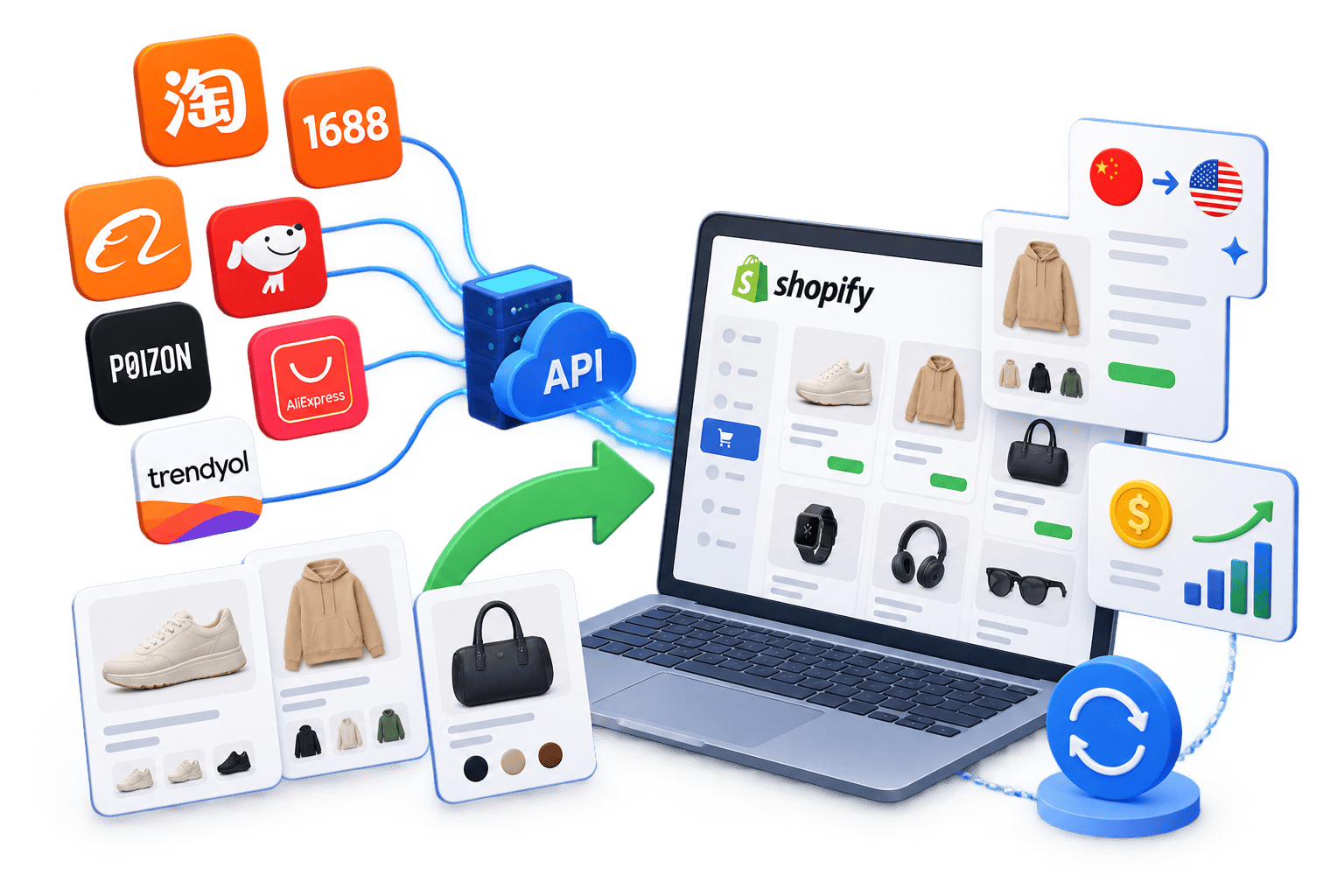 Shopify makes it easy to launch an online store, but its standard functionality is not enough for working with products from Chinese marketplaces. If you need to add products from Taobao, 1688, Alibaba, Poizon, and other platforms to your store, automate the retrieval of prices and product specifications, and regularly update product data, you can use an API integration.
Why Connect Taobao and 1688 to Shopify
Taobao and 1688 offer a huge selection of products from Chinese sellers and manufacturers. These marketplaces can be used as product sources for online stores, dropshipping projects, wholesale catalogs, and other e-commerce services.
When working manually, store owners have to search for products, copy images and descriptions, track price changes, and check product availability themselves. With a large catalog, this approach becomes extremely time-consuming and difficult to manage.
Integrating Shopify with Taobao or 1688 via API makes it possible to automate a significant part of these processes.
Connecting Taobao, 1688, and Other Marketplaces to Shopify
API integration allows you to use Taobao, 1688, Alibaba, AliExpress, JD, Poizon (Dewu), and other marketplaces as product sources for your Shopify store. A store can work with a single marketplace or use several product sources at the same time.
Through the API, product data can be transferred to Shopify, including titles, descriptions, images, specifications, product variants, prices, and other available information. This makes it possible to automate catalog creation and subsequent updates, as well as apply custom data processing rules before products are published.
What Product Data Can Be Imported and How It Can Be Configured
Through the API, Shopify can receive key product data from Taobao, 1688, and other supported marketplaces. Depending on the source, this may include product titles and descriptions, images, specifications, categories, prices, discounts, product variants such as sizes and colors, seller information, and other available data.
Before a product is added to the catalog, the retrieved information can be processed and adapted to the requirements of the online store. This is particularly important when working with Chinese marketplaces, where product titles, descriptions, and specifications are often provided in Chinese. The integration can use automatic translation of product data to create product pages in the language of your store.
Pricing rules can also be configured separately. The original marketplace price can be converted into the required currency and then adjusted using a specified markup. This allows the store to apply its own pricing strategy without having to manually calculate the price of every product.
As a result, Shopify receives not simply the original marketplace data, but prepared product information that can be used to build a catalog according to the store’s language, currency, and pricing requirements.
OT Commerce Plugin for Shopify and How It Works
The OT Commerce plugin allows you to connect Shopify to Taobao, 1688, Alibaba, AliExpress, JD, Poizon (Dewu), Trendyol, and other supported marketplaces through a single API. Instead of developing and maintaining a separate integration for each marketplace, an online store gets a unified way to work with multiple sources of product data.
The plugin acts as a bridge between Shopify and the OT Commerce API. A user or store administrator selects a product or provides its URL or ID. The plugin sends a request to the OT Commerce API, which retrieves information from the corresponding marketplace and returns structured product data, including the title, description, images, specifications, variants, prices, and other available information.
The plugin processes the retrieved data and uses it to create a product page in Shopify. The information can also be adapted to the requirements of a particular store: product data can be translated, pricing and markup rules can be configured, and the store owner can determine which product information should be displayed in the catalog.
After a product has been added, the integration can also be used to keep its information up to date. When information changes on the original marketplace, current product data can be requested again through the API and transferred to Shopify. This helps keep the catalog updated while significantly reducing the amount of manual work required.
Using a single API is particularly convenient for stores that work with several Chinese marketplaces at the same time. Regardless of the source, products are imported into Shopify using a unified workflow, while product import and data processing can be managed centrally.
How to Get Started
You can start the integration by installing the OT Commerce plugin from the Shopify App Store. Once installed, the plugin allows you to import products from supported marketplaces directly into your Shopify store.
You can import up to 5 products for free to test the integration. This gives you an opportunity to see what product data is transferred to Shopify and how product pages are created before moving on to a larger catalog.
To get started:
- Install the OT Import plugin from the Shopify App Store.
- Connect it to your Shopify store.
- Select the marketplace you need and add your first products.
- Review the created product pages and configure the import settings.
Install OT Import from the Shopify App Store.